worklog: a self-hosted work timer
A work and break timer with reports, for people who bill or track their hours and want the data on their own server. An optional day planner on top shows work meetings, calendars and care duties on one timeline, and protects evenings and training time. I wrote it to replace the spreadsheet I used as a time log.
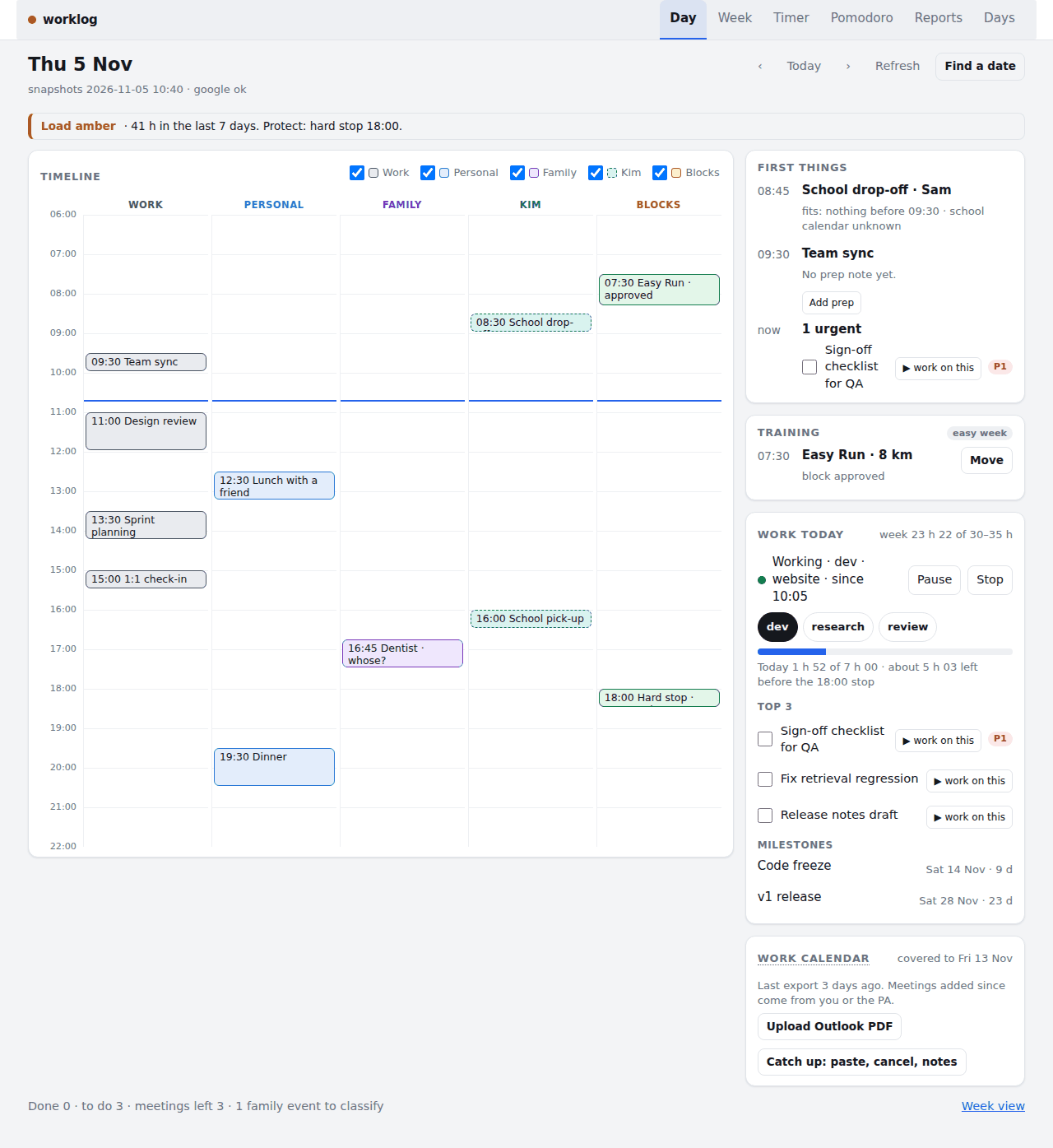
Screenshots
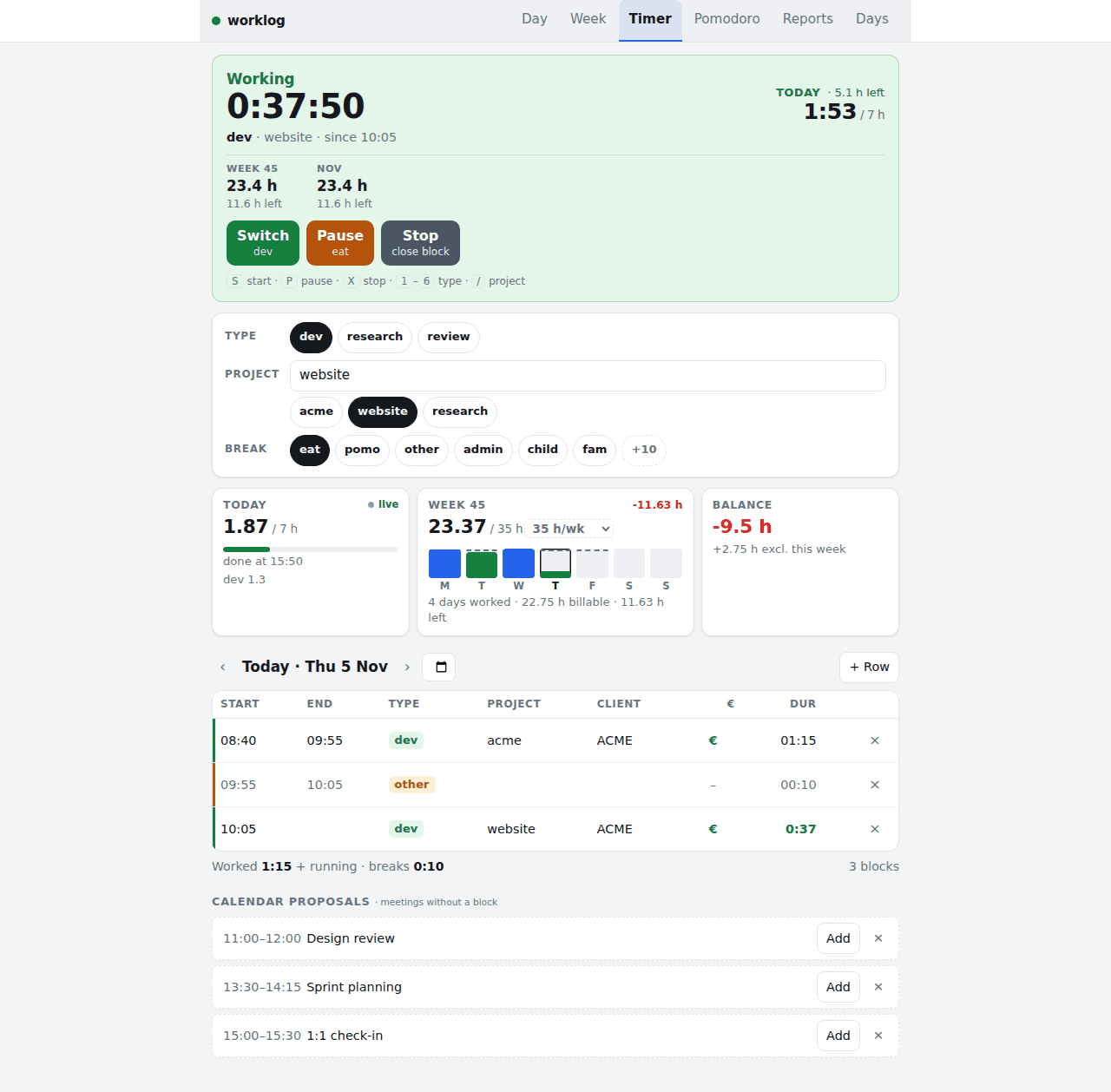
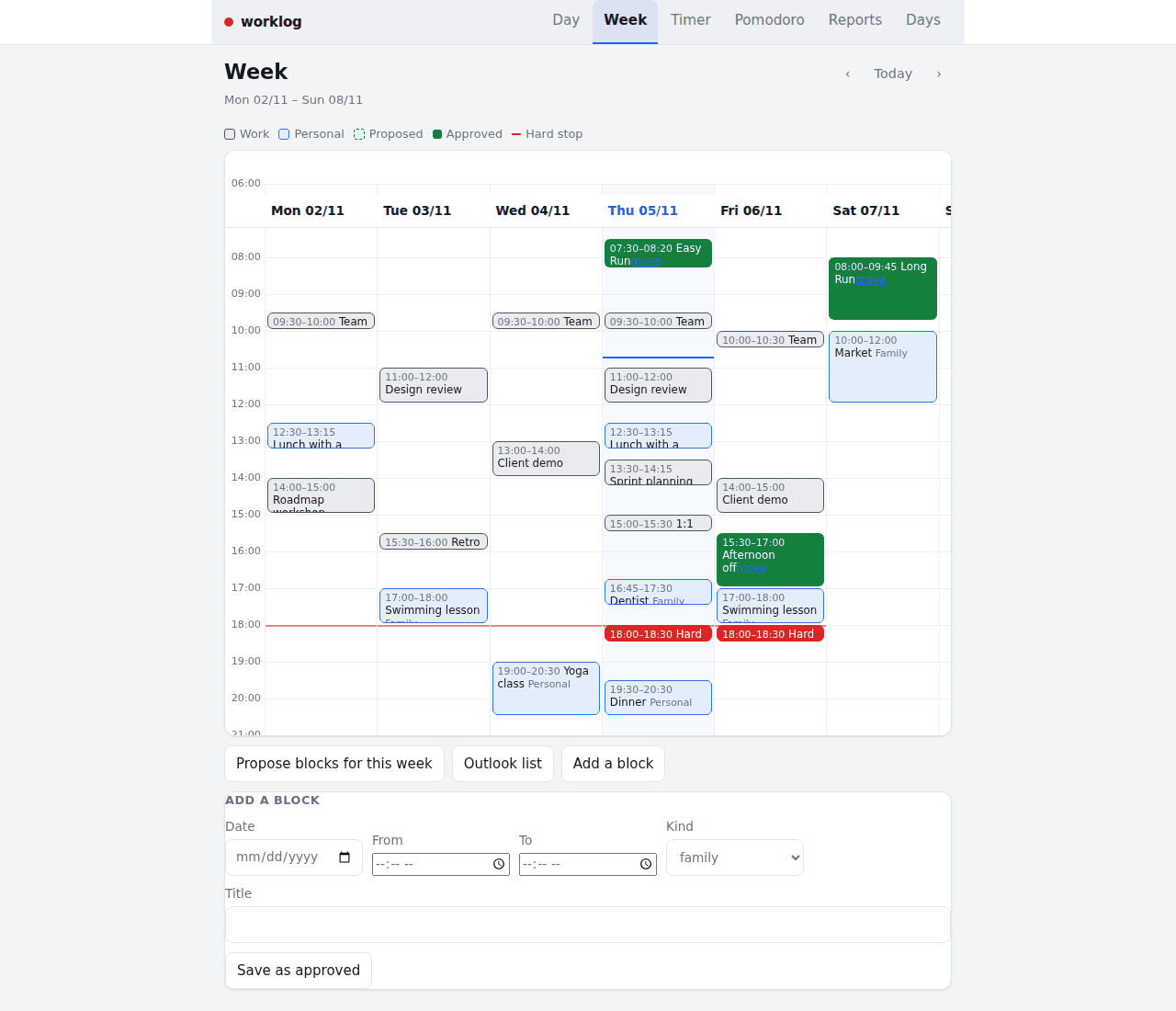
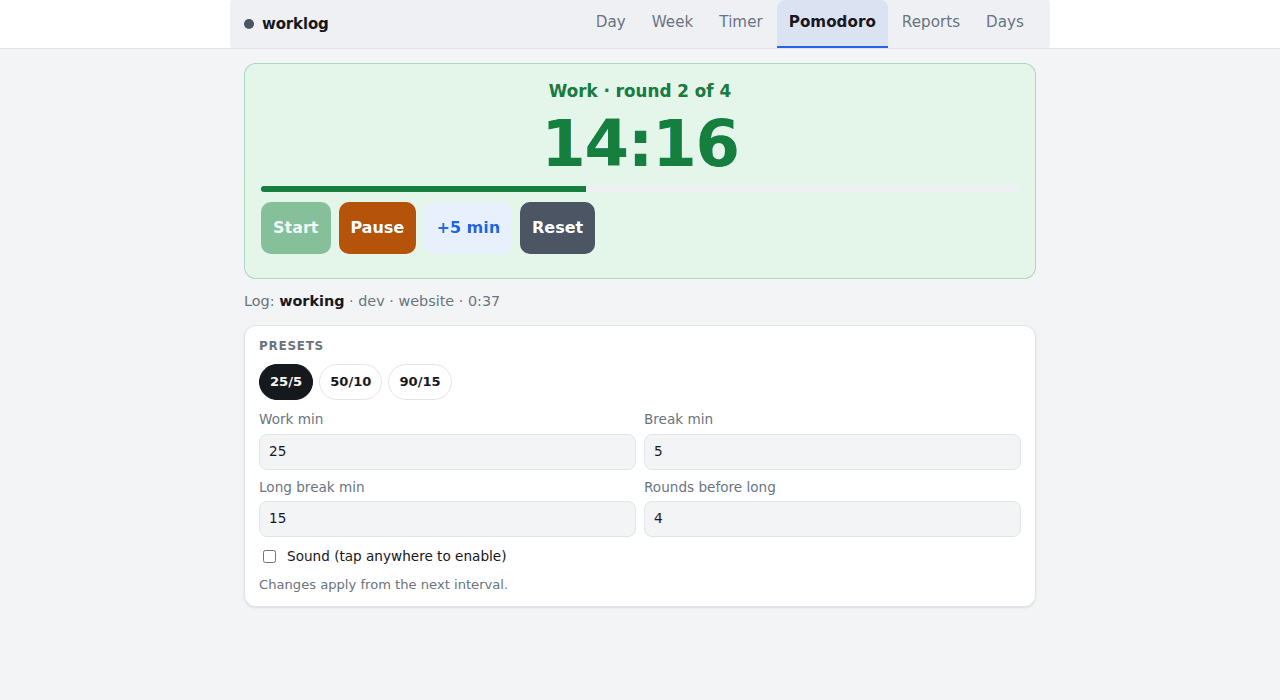
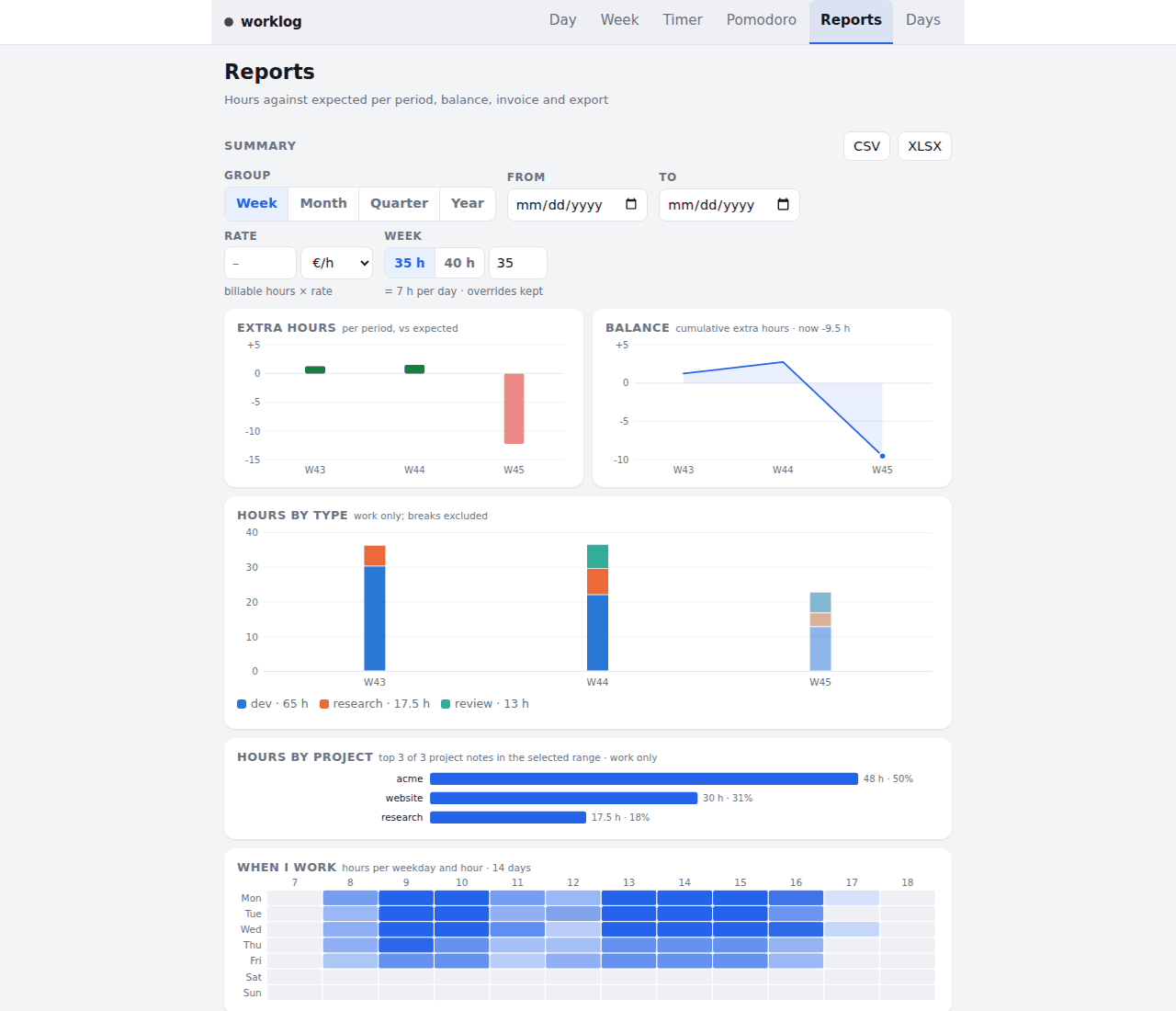
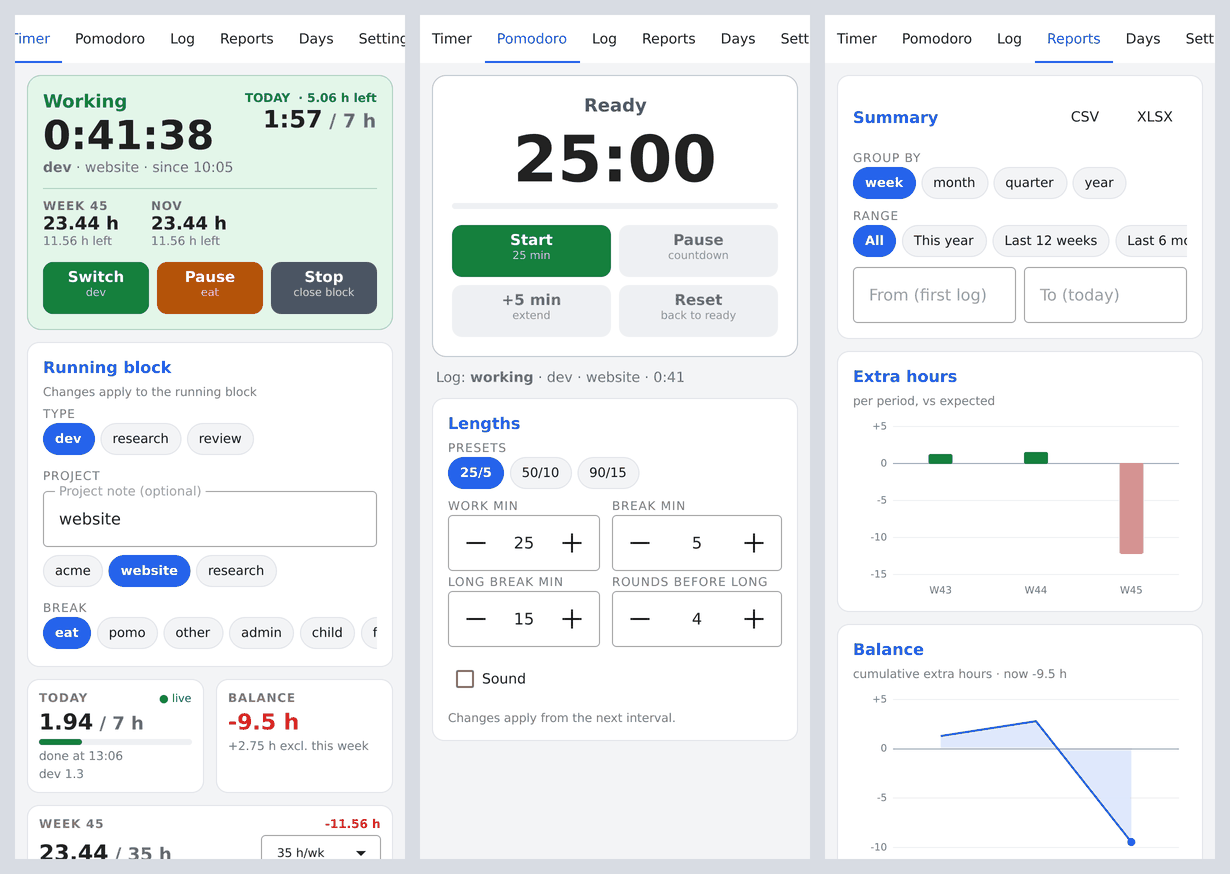
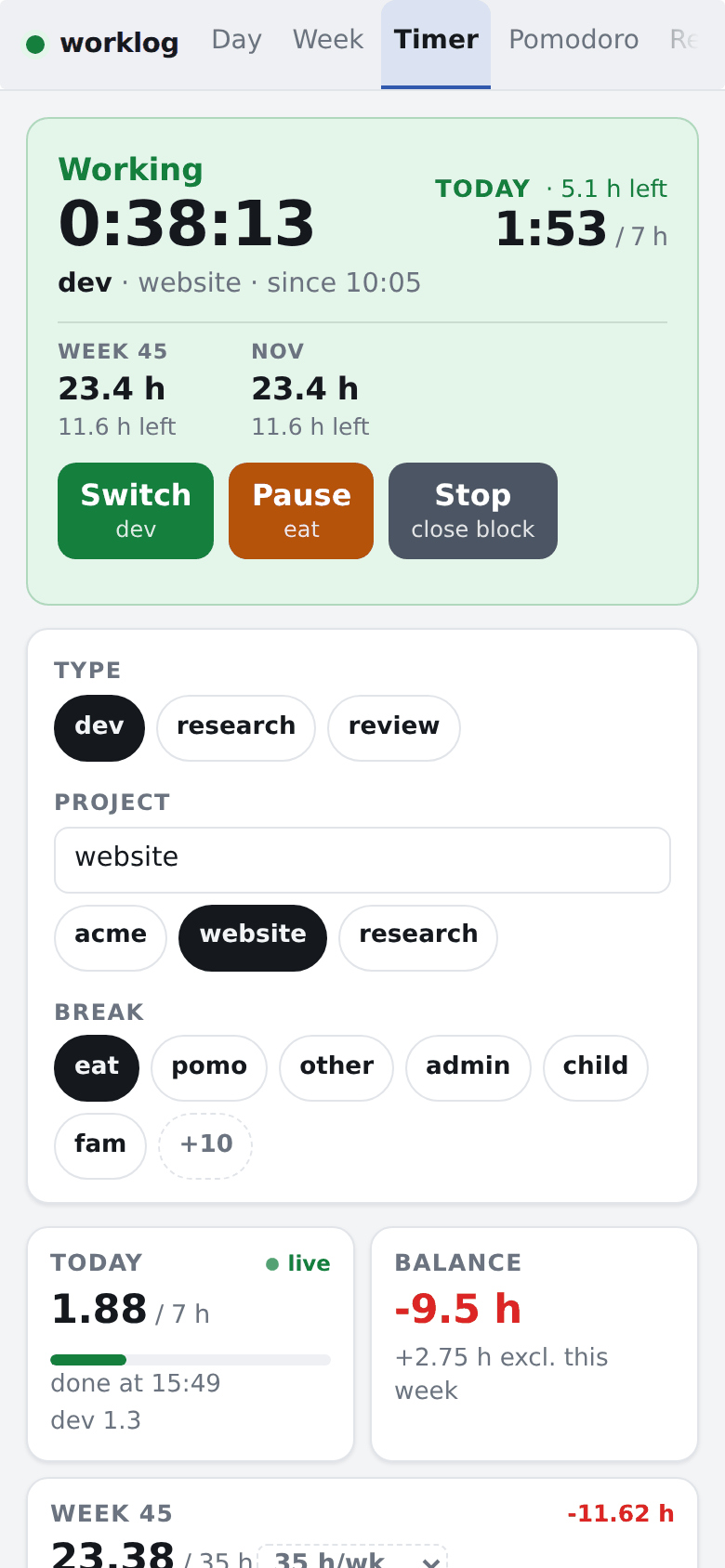
All screenshots use synthetic demo data.
Who it is for
Freelancers and employees who track hours, and anyone who wants a small, hackable timer instead of a subscription service. The timer works on its own. The day planner needs more setup (calendar snapshots, household rules, a few host jobs) and suits people comfortable with scripts and cron. Everything personal is configuration, nothing is hardcoded to one household.
What it does
Timer
Start, pause and stop work blocks, switch type or project, and see the day's blocks with the gaps between them. Meeting proposals can come from a work-calendar database.
Pomodoro
A per-device countdown that offers to pause or resume the timer at each interval. It never does so on its own.
Reports
Summaries per week, month, quarter and year, charts, weekly stats, an invoice view, and XLSX/CSV import and export. Expected and sick hours per day, with holidays from a cache file.
Day planner (optional)
A Day and a Week page with one timeline of work meetings, personal and family calendars, care duties and protected blocks. A capacity gate (green, amber, red) looks at rolling weeks of hours, wellness and training, and helpers answer "where does this fit" and "move this".
Other clients use the same JSON API: a Qt Quick app for desktop and Android, and a Garmin Connect IQ widget.
How it works
- A FastAPI app with SQLite storage serves the web pages and a JSON API.
- The container never holds credentials. It reads a state directory and writes requests to a queue in its database.
- Three host jobs fill the state directory: a daily capacity verdict, a sync every two minutes (snapshots, the write queue, a Google Calendar mirror, an optional hard-stop nudge) and a weekly proposal of next week's blocks. They run without any integration and report what is missing.
- Optional HTTP Basic login via a PBKDF2 password hash; optional Sentry error reporting.
Stack: Python, FastAPI, SQLite, Docker, a Qt Quick client, a Garmin Connect IQ widget, tests on an example household.
Run it
Then open http://127.0.0.1:8503/timer. To require a login, generate a hash with uv run python -m worklog.auth and set WORKLOG_AUTH_USER and WORKLOG_AUTH_PASSWORD_HASH. A Dockerfile and an example compose file are included, and all settings are documented in docs/configuration.md in the repository.
MIT licensed.