Building pfm — a Self-Hosted Portfolio Manager
I have been investing for over a decade, but for most of that time it was passive — money in, not much thought given. A few years ago I started taking it more seriously: reading books and especially listening to podcasts, including a Dutch one, Jong Beleggen. One difficulty I kept running into — even investing passively through a broker — was the Spanish tax declaration: it requires calculating capital gains using FIFO (first-in, first-out: the shares you bought first are treated as the ones you sell first), lot by lot.
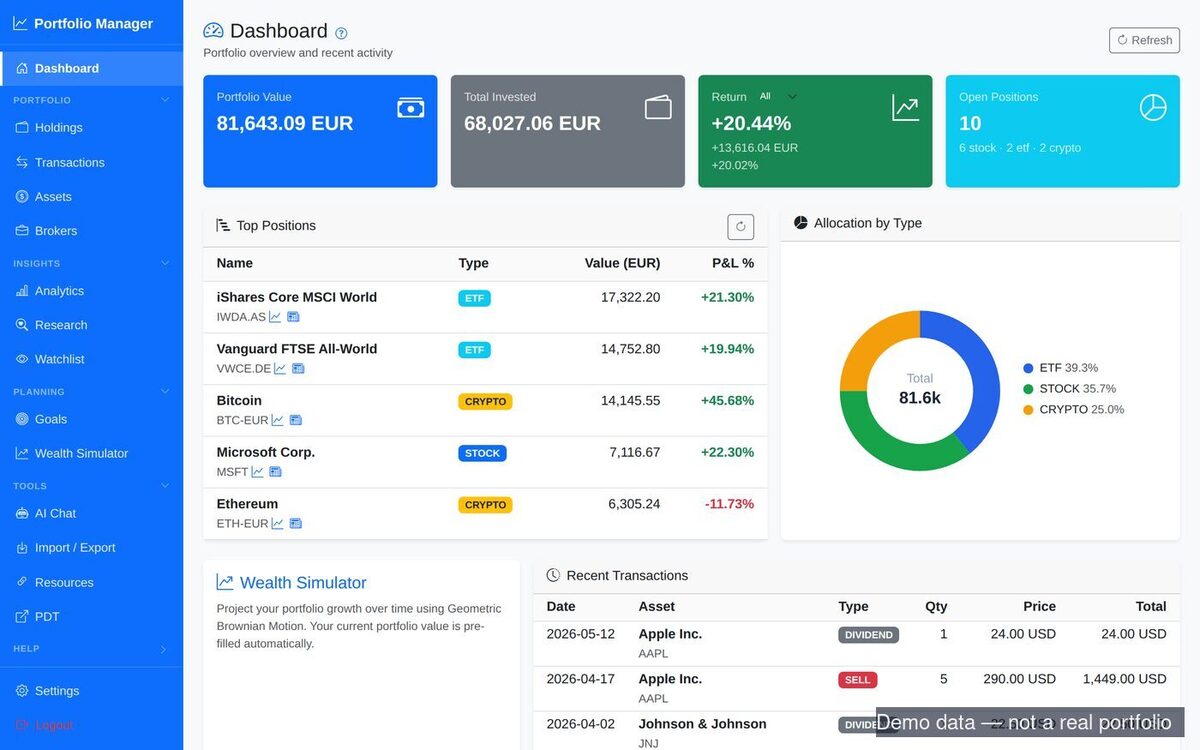
I started with a small Python script — I never liked doing things manually — but from there I wanted something more. Together with code agents like Claude Code and Gemini, I built pfm, a self-hosted portfolio manager (open source).
The same people behind that podcast built Portfolio Dividend Tracker (PDT), which keeps track of holdings, dividends (a company paying out part of its profit to shareholders), gains, losses and projections — exactly the kind of overview I wanted. It imports from some brokers by API or CSV, but not the ones I use. That left two options: enter every buy, sell and transaction by hand (a lot of work), or import from a Google Sheet. The Google Sheet route was the opening I needed — a clean way to feed my own data into PDT.
The repo started small: a script to organise trades across stocks and ETFs (exchange-traded funds — baskets of shares you can buy like a single stock), and to automate the FIFO calculation — the kind of tedious, error-prone job that a script should own.
What it does
pfm is a Python CLI (command-line tool) + FastAPI backend + a vanilla-JS web client (no build step). It tracks stocks, ETFs and crypto positions across multiple broker "portfolios", pulls daily prices from Yahoo Finance, and converts everything to a single base currency. On top of the raw holdings it adds the things I actually wanted to see:
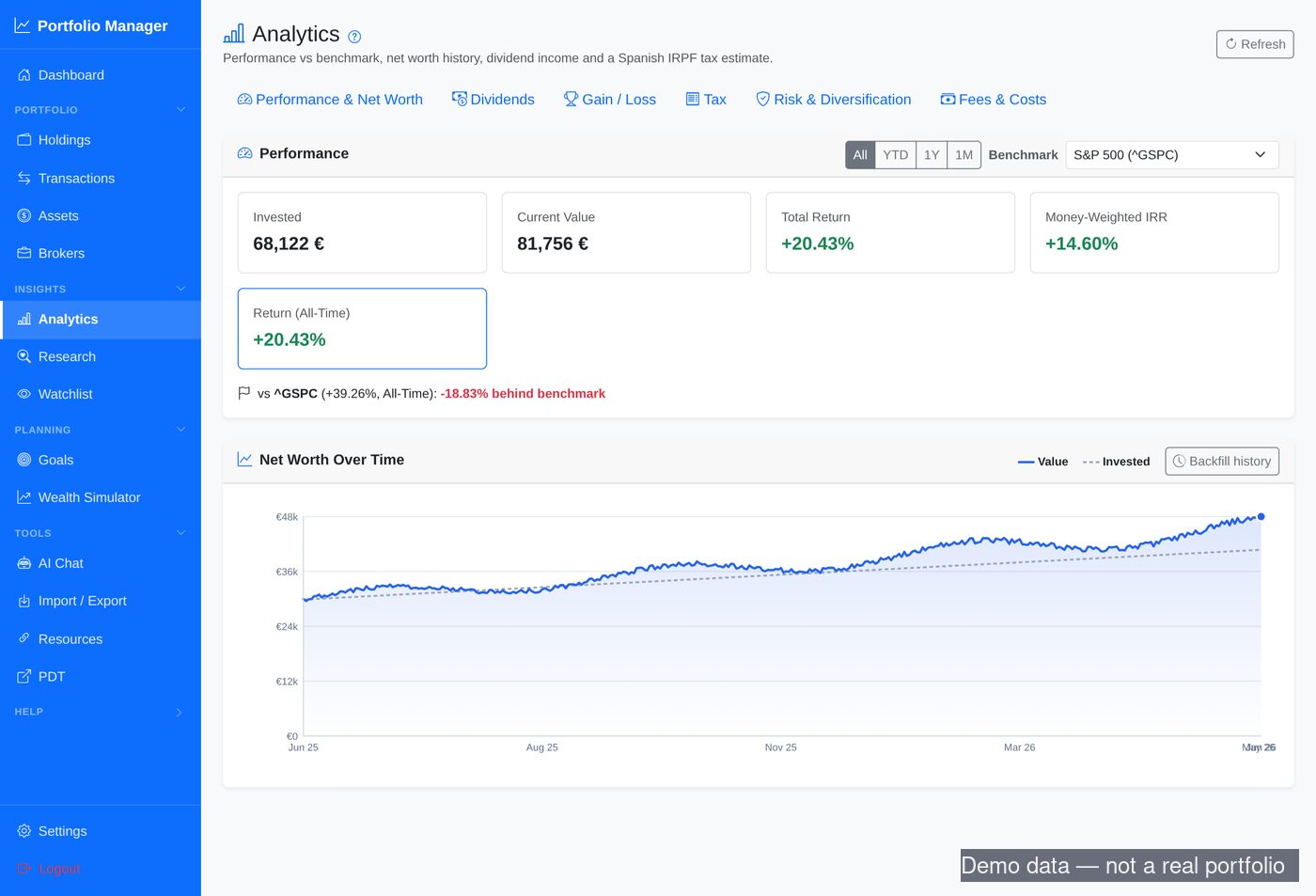
- Real return metrics — not just "value minus cost", but money-weighted IRR (internal rate of return — your actual return, accounting for when you added or withdrew money), plus a benchmark comparison against an index (e.g. S&P 500).
- Dividend analytics — income by month/year, yield-on-cost (dividends as a percentage of what you originally paid), projected annual income.
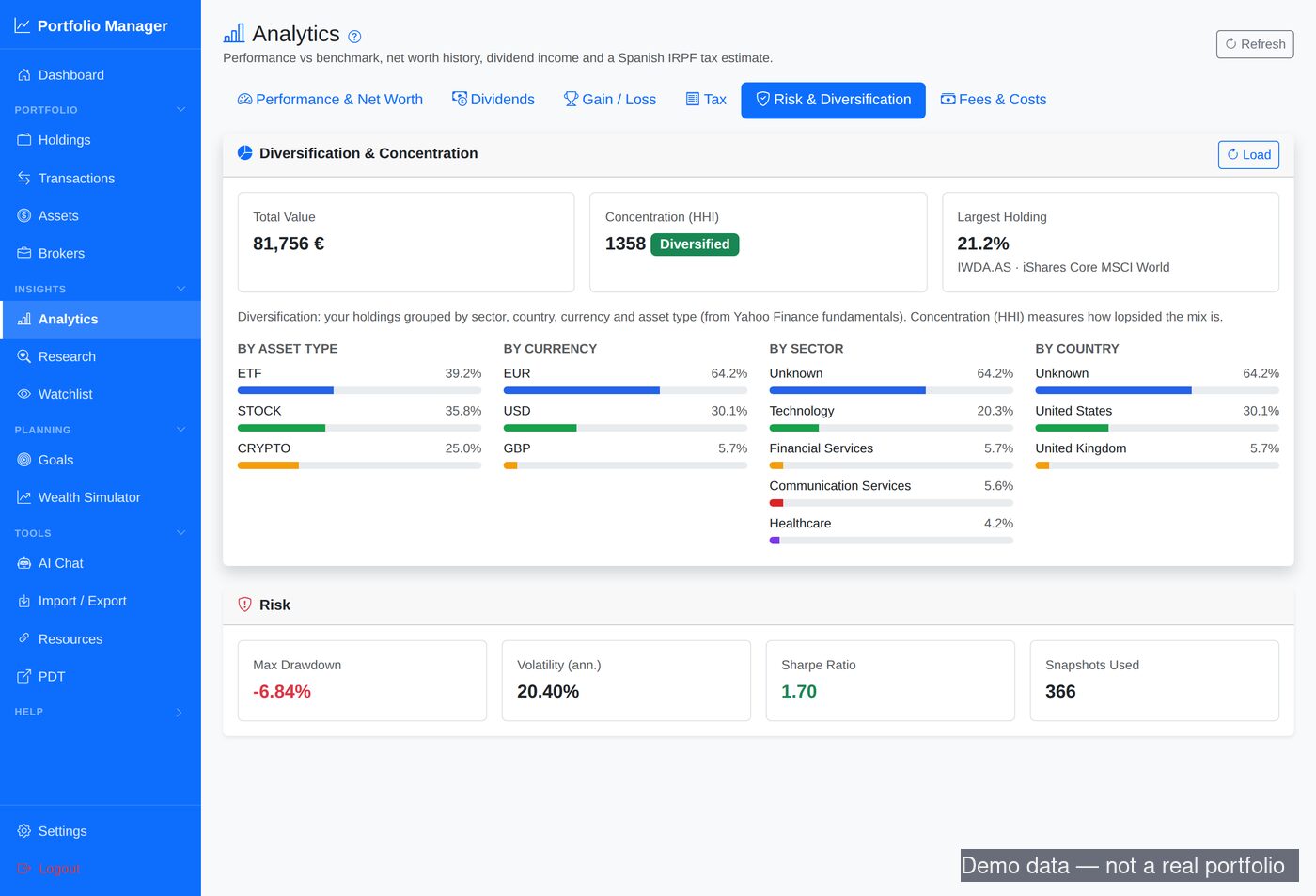
- Risk & diversification — allocation by type/sector/currency, a concentration measure, and drawdown (largest peak-to-trough drop), volatility and Sharpe ratio (return adjusted for how bumpy the ride was) from daily snapshots.
- A rebalancing calculator (what to buy or sell to get back to your target mix), an LLM research agent that estimates fair value and flags buy/sell, a watchlist with price alerts, and a FIRE goal tracker (Financial Independence, Retire Early).
- Spanish IRPF (income-tax) tooling — FIFO realised gains and a savings-base tax estimate, which most international tools handle poorly.
The bits that were genuinely interesting
LLM-powered import & chat
The feature I use most: paste a broker confirmation — in Spanish, English, whatever format — and an LLM extracts the structured transaction (symbol, quantity, price, fees, date, currency). Most trackers make you map CSV columns by hand or limit you to a handful of supported brokers. Letting a model do the parsing turns "any statement" into "importable", and it is provider-agnostic (Ollama locally, or Gemini/OpenRouter). The same integration also lets you chat with the LLM about your portfolio — ask questions about your positions, allocations, or performance in plain language.
Currency is sneaky
Two bugs taught me to take currency handling seriously. First: every holding has to be converted to euros consistently — current value, cost basis, every aggregate — or totals silently drift. Second: Yahoo Finance quotes some London-listed stocks in pence (GBX), not pounds. One holding came in at 100× its real price, flipping a healthy gain into a large paper loss. The fix was a one-liner that detects GBX and divides by 100 — but in finance software, a silent wrong number is far worse than a crash.
Built with an AI pair
Most of pfm was built through what people call "vibe coding" — a term I do not love, because for me it is almost the opposite of vibes. It is controlled coding: steering an agent deliberately and reviewing everything it produces. I used mainly Claude (some Gemini early on, a bit of Warp), and feature by feature added everything I needed — import and export, adding and listing transactions, pulling the latest prices, the graphs. It changed how I work more than I expected.
The lesson that keeps proving itself: AI is a fast, tireless builder, but it does not own correctness — you do.
Try it
pfm is on GitHub under an MIT license, with Docker Compose for self-hosting — the code is public, your data never leaves your server. It imports and exports the PDT v2 format, so if you already use PDT you can move data in and out freely. It is a personal project, not a product — but if you want real return metrics and an import that just works, it might be useful. Contributions welcome. There is also a project page with screenshots and setup instructions if you would rather look before you clone.