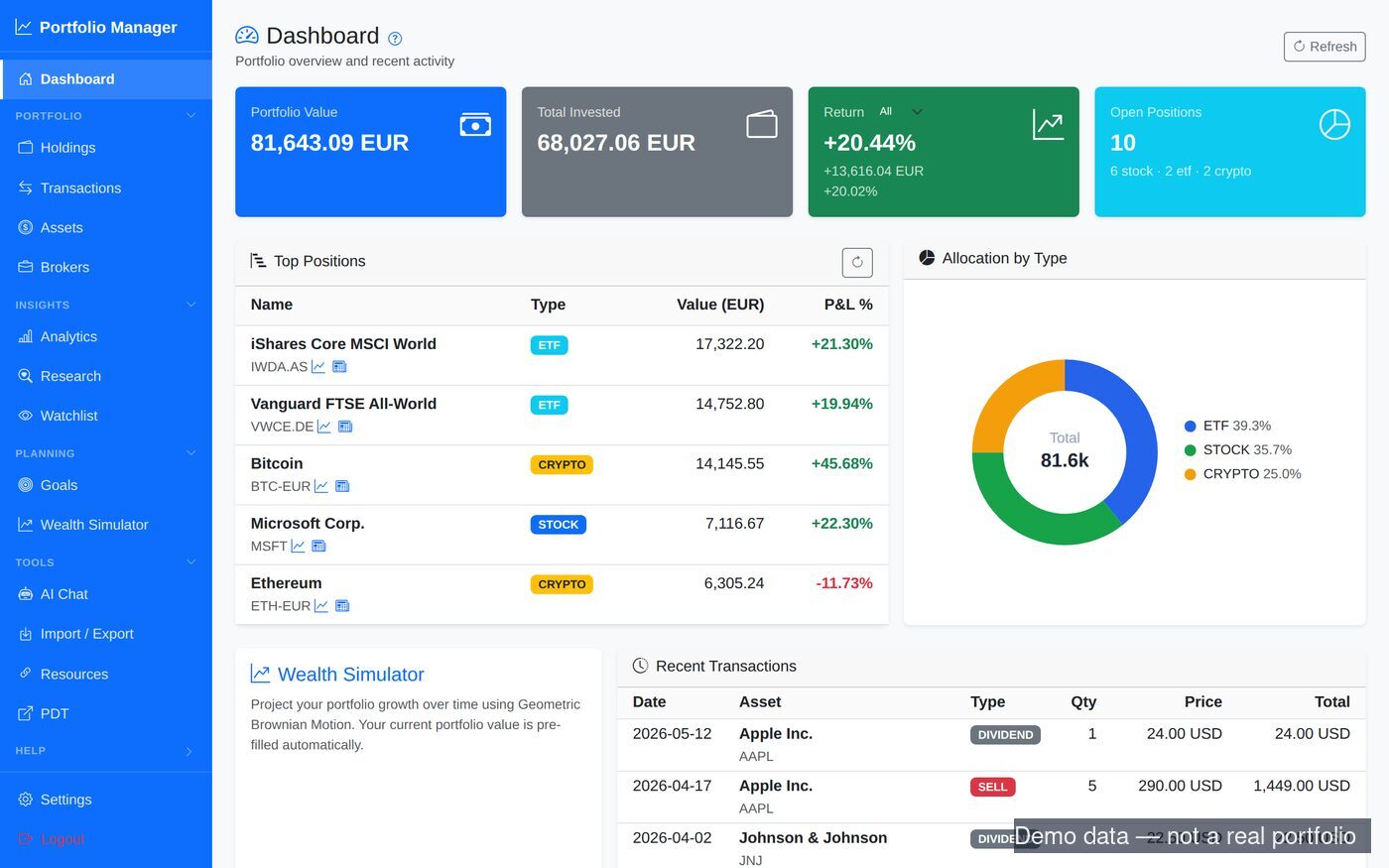
The metrics and tools I actually wanted from a portfolio tracker — without handing my financial data to anyone.
🤖
LLM-powered import
Paste any broker statement — any language, any format — and a model extracts the trades and cash movements. No column mapping. Ready-made importers for IndexaCapital, MyInvestor, Mintos (P2P), Coinbase, Portfolio Dividend Tracker and a generic CSV, plus bank statements (CSV and the Spanish AEB43/N43 format).
🧩
Tracks what you hold
Stocks, ETFs, mutual and index funds, crypto, bonds, commodities, fixed deposits and cash — across multiple broker "portfolios", including managed ones such as a robo-advisor — plus P2P/savings interest income.
📈
Real return metrics
Money-weighted IRR, real (inflation-adjusted) return, benchmark comparison, and a return attribution that shows which holdings drove the result and how much came from contributions versus market growth.
⚖️
Risk, stress & exposure
Drawdown, volatility and the Sharpe ratio; stress tests that replay 2008, 2020, 2022 and the dot-com crash on your current holdings; fund look-through to see real sector and region exposure and overlap between funds; position caps that warn when one holding grows too big.
🛒
Spending & budgets
Import bank statements and categorise them with rules, merchant names and AI suggestions. Monthly trends, recurring-charge detection (it flags price rises and missed payments) and named budgets with planned-versus-actual per category.
🏠
Net worth & retirement
A balance sheet with a source and date on every line: broker cash and positions, bank balances, fixed deposits, property, pension and loans with an amortisation schedule. On top of it, a retirement-readiness projection in real terms that includes expected pensions.
🧭
Where the next euro goes
Deployable cash after an emergency buffer and a tax reserve, a "next euro" proposal against your allocation targets with its reasons, and a tax-aware rebalancing plan that prices each sell against its own lots, estimates the tax and can cap the realised gain.
💸
Dividend analytics
Income by month and year, yield-on-cost, projected forward annual income per holding, an income-by-calendar-month view, and fund ongoing charges (TER) in a fees report.
🧾
Spanish income-tax tooling
FIFO realised gains per financial year, a Spanish IRPF savings-base (base del ahorro) estimate, a two-month-rule (antiaplicación) check and a year-end planner for offsetting losses — with CSV and PDF exports.
📓
Decisions & action items
A decision journal: what you did, why, what you expected, and a review date to check how it turned out. One Action Items list collects everything that needs attention — stale imports, a cap breached, idle cash, a decision due for review.
💬
AI chat & research
Ask about your portfolio in plain language; the chat calls live tools over your real holdings, spending, goals and plans. A research workbench adds fundamentals, fair-value and sell calculators and a scorecard of past calls. Works with Anthropic Claude, Gemini, OpenRouter or a local Ollama model.
🔌
MCP server
A read-only MCP server exposes holdings, performance, tax, net worth, spending, budget and the allocator to any MCP-capable assistant, such as Claude.
🎯
Goals & simulator
FIRE goals with pace tracking, a Monte-Carlo wealth simulator that fills its inputs from your balance sheet, and saved scenarios you can track against your real net worth.
🔄
PDT & Google Sheets
Full compatibility with Portfolio Dividend Tracker (PDT) v2 — a popular dividend tracker that pulls from a handful of brokers or a Google Sheet. pfm reads and writes that same Google Sheet (and the PDT XLSX), so the two stay in sync.
🔒
Private by design
Self-hosted. The code is public; your database, API keys and amounts stay in local, gitignored files that never get committed.