From Autocomplete to AI Agents
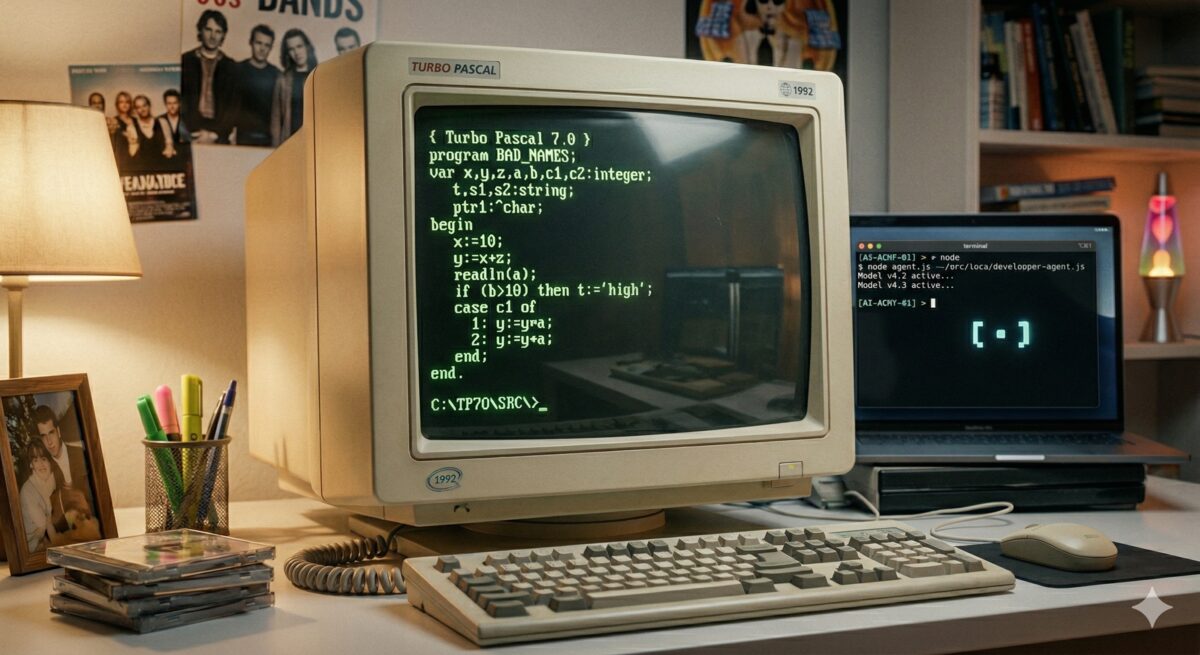
I self-learned with a friend QBasic in my early teens, by creating moving animations, then Turbo Pascal from a book. I had not had any classes in programming yet and therefore had a bad coding style: short variable names, no functions, everything in one long file. It worked, but it was not readable or maintainable.
That experience taught me something I only understood later: tooling shapes how you write, not just how fast.
When you type everything by hand, short names are a survival strategy.
Although I remember there were people that had the view of being a "real" programmer if you write
all code by hand in Notepad - i.e. without any tools of an Integrated Development Environment (IDE).
The moment autocomplete arrived,
writing logicOrExpression costs nothing. Readable names became free.
My personal journey through the eras — years reflect when I adopted each tool, not when it launched.
| My year | Tool | The leap | How I worked |
|---|---|---|---|
| ~1990spersonal | QBasic / Turbo Pascalself-taught, no IDE | No tooling — type every character by hand | Type short variable names, everything in one file. |
| 2001work / study | IntelliJ IDEAlaunched Jan 2001 | Programmatic autocomplete with full language and function knowledge; refactoring as a first-class feature; long names finally free | IDE handles imports, boilerplate, and renames. |
| 2022work | GitHub Copilotlaunched Jun 2021 | Completion moves beyond syntax — suggests full function bodies and API calls from context; a comment can trigger a suggestion | Type a signature or comment, accept or tweak the suggestion. Still autocomplete, just much smarter. |
| 2025–2026work | Cursor / GitHub Copilot (chat) | LLM reads your file and makes the edit — you review a diff, not a suggestion | Describe the change, review changed code iteratively. |
| 2025–2026personal | Claude Codelaunched Mar 2025 | Agent reads, plans, edits, runs checks, iterates — you come back to a result | State the goal. Vibe coding — personal projects and this website. |
The First Real IDE
My first serious Java work was in 2001, during an internship at the University of Groningen — part of my HBO ICT study. I used IntelliJ IDEA, which had just launched that January as an Early Access Program — pre-release builds were always free.
What made IDEA different was not just that it had code completion — Visual Studio already did. It was that Java
intelligence was built in from day one: three completion modes (by name, expected type or class name), refactoring as a first-class feature,
imports resolved automatically. You typed list. and it offered every method on that type.
It was programmatic: no magic, just a very well-indexed knowledge of the language and your context.
Between 2001 and 2022
Between 2001 and 2022 I used several IDEs and editors — mainly Eclipse, Vim, Qt Creator, and PyCharm. Each had code completion and was an improvement over the last, but none fundamentally changed how I worked. The model was still the same: you write, the tool assists.
The Copilot Moment
The big improvement came with GitHub Copilot, which I started using at Glovo around 2022.
It was not completing variable names — it was completing
thoughts. A large part of "knowing how to code" had always been knowing the API — the exact method
name, argument order, whether it is axis=0 or axis='columns' for example. Copilot
made that friction disappear: it completed the call for you. Better still: write a comment and it drafted
the function body. For unit tests it was immediately excellent — it could infer edge cases just from the
function signature and name.
But the model was still reactive. It waited for you to type. You were still the author; it was a very good autocomplete.
The IDE as Chat Interface
At Meight we switched to Cursor around mid-2025. The chat became the primary interface — you stopped writing code and started describing what you wanted changed. The LLM read your file and codebase, understood the context, and made edits. You reviewed the changes. In my next project I moved to GitHub Copilot in VS Code, which by then had a similar chat-driven workflow.
It feels more like reviewing a junior's code and steering it. The style is often off: too verbose, not reusing existing helpers, solving the general case when only the specific one is needed. Giving that feedback is a real part of the workflow. For work I am more cautious: reviewing the output carefully and testing before merging to main.
I have been seeing several recurring failure patterns: generating new helpers instead of reusing existing ones,
taking an indirect solution instead of a straightforward one (sorting a DataFrame to find the max, instead of calling
.max()), and adding parameters for flexibility nobody asked for. The output was often
correct but not appropriate.
I keep a running log of these patterns.
For personal use I have been more flexible — exploring different tools (Claude Code, Gemini, Warp) and doing some vibe coding on side projects and this website.
What Changed, Really
2025 was for me the year of learning to work with these tools — by trial and error. Finding the balance between coding myself, giving good instructions, trusting the output, and knowing when to review carefully. I tried tools across the board: web chat interfaces, IDE integrations (Cursor, VS Code), the console, even tools that review PRs in GitHub and GitLab.
As models improve, I expect to be able to trust the output more and review it less. The skill shifts from writing code to knowing what to ask for — and recognising when the result is wrong. The tools keep getting smarter — the question is whether we can keep up.
Alex Goldhoorn is a freelance Senior Data Scientist. Find more at alex.goldhoorn.net.